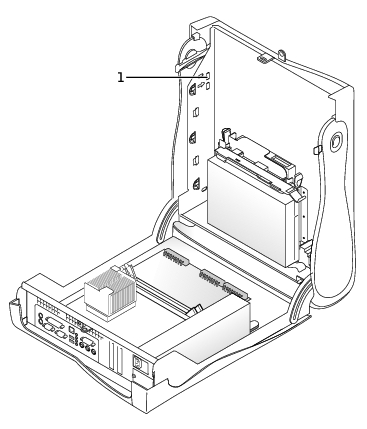
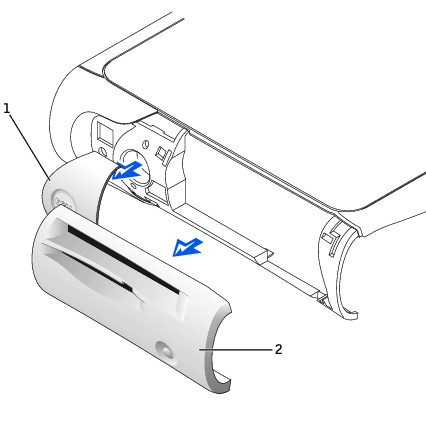
From inside the door, push in the two tabs on either
side of the badge to release the badge.
Press on the badge until it is freed.
To remove the control panel, perform the following
steps:
Lay the computer on its right side and open the cover.
Remove the top and bottom panels of the computer by
releasing the eight tabs on each panel.
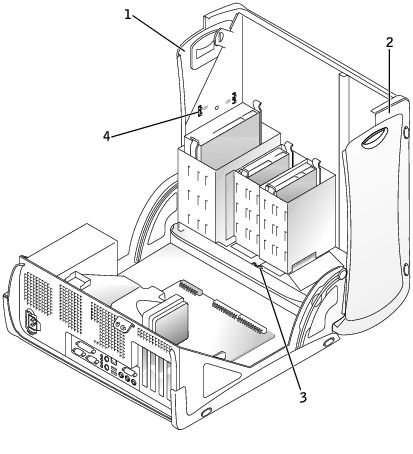
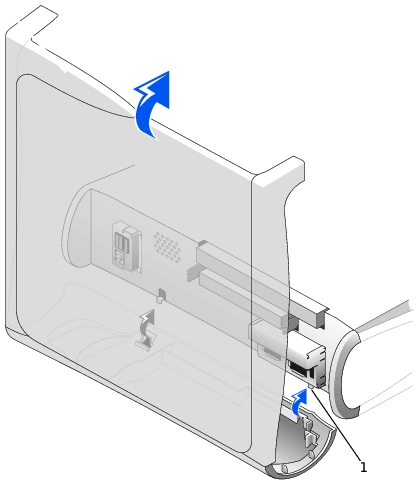
Remove the front bezel by releasing the three tabs
located on the front bezel: one tab is located by the CD drive, and two tabs are located
by the I/O panel.
NOTE: This view of the small
mini-tower chassis shows the CD drive data cable removed.
Front Bezel Tabs—Small Mini-Tower Computer
1
Top panel
2
Bottom panel
3
Front-panel tabs (3)
4
Top-panel tabs (8)
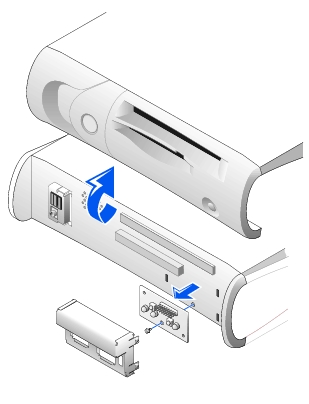
Close the cover and remove the front bezel.
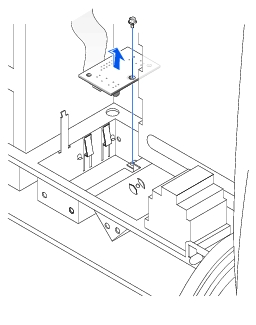
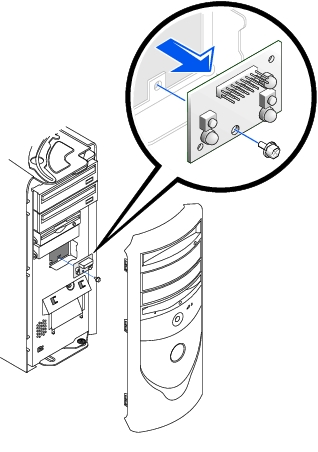
Control-Panel Removal
Remove the screw holding the control panel to the
chassis, and pull the panel up and away from the chassis.
Replace the control panel by following the "Removing the Control Panel and Badge" procedure in
reverse, ensuring that the tabs on the top panel, bottom panel, and front panel are
secure.